


Sinden Light Gun vs GUN4IR: 2026 Comparison Guide
Table of Contents
Sinden Light Gun vs GUN4IR: How the Two Systems Compare
Quick Comparison: Sinden vs GUN4IR at a Glance
The Core Difference: Border Tracking vs IR Tracking
How Each Light Gun Tracks Screen Position
What this means in practice
A controlled, side-by-side accuracy check
Why the mechanism matters for your room
Sinden Light Gun Accuracy: What Affects Aiming Precision
Sinden Light Gun Setup: What You Need Before You Play
GUN4IR Setup and Calibration: IR Receivers, Strips, and Sensor Placement
Light Gun Recoil Options: Pump Action, Reload, and Trigger Feel
Cost, Compatibility, and Long-Term Ownership
Total cost of ownership
Compatibility matrix: OS, emulators, and displays
Long-term ownership and maintenance
Troubleshooting quick reference
Which Light Gun Fits Your Arcade Cabinet?
Frequently Asked Questions
Last Updated: October 13, 2026
Sinden Light Gun vs GUN4IR: How the Two Systems Compare
The sinden light gun vs gun4ir comparison comes down to one fundamental difference: Sinden uses a visible white border drawn around your screen to track where you're aiming, while GUN4IR uses infrared receivers mounted near the display.

Quick Comparison: Sinden vs GUN4IR at a Glance
Sinden is a ready-made, plug-and-play light gun built for flat screens. GUN4IR is a tracking system you typically build into a gun yourself. Here's how they stack up:
Feature | Sinden Light Gun | GUN4IR |
Tracking method | Screen border (visible white frame) | Infrared receivers and IR strip |
Setup effort | Lower, mostly software | Higher, hardware mounting required |
Best for | Players wanting a finished gun | Builders and custom-gun projects |
Recoil options | Model-dependent, some with recoil | Depends on the gun you build into |
Reported cost | Higher | Lower, per community comparisons |
A common mistake is assuming "cheaper" always means "better value." The real question is how much of your own time and labor you're willing to invest.
The Core Difference: Border Tracking vs IR Tracking
Sinden Light Gun is a PC light gun that uses a visible border displayed around the screen for tracking. GUN4IR relies on infrared receivers and an IR strip positioned around the display.
This distinction drives every practical trade-off. Border tracking needs no external receivers, so there's less to mount and wire. IR tracking needs careful sensor placement, but it can feel more like traditional arcade hardware once dialed in.
How Each Light Gun Tracks Screen Position
Sinden and GUN4IR solve the same problem, figuring out where a plastic gun is pointing on a flat screen, with two different sensing philosophies.
Sinden: border-referenced computer vision. Sinden draws a visible white frame around the active display area.
GUN4IR: infrared triangulation. GUN4IR uses a small number of IR receivers (commonly two or four, depending on the build) mounted around the display, plus an IR emitter strip or bar.
What this means in practice
Behavior | Sinden (border) | GUN4IR (IR triangulation) |
Reference source | On-screen white frame | Physical IR receivers + emitter |
External hardware to mount | None | Receivers and IR strip |
Sensitive to screen overlays | Yes, border must stay visible | No |
Sensitive to line-of-sight blocking | No | Yes, controllers, bodies, furniture can block |
Sensitive to receiver movement | N/A | Yes, a bumped receiver shifts aim |
Works with any display content | Only if border is drawn | Yes |
A controlled, side-by-side accuracy check
Most comparisons rely on subjective impressions. A more useful approach is to hold the variables constant and compare the two systems under identical conditions. Here is a reproducible test any buyer can run:
Same display, same distance, same game. Use one LCD at a fixed resolution, stand at a measured distance (for example, 2.5 m), and run the same MAME title on both systems.
Same calibration procedure. Calibrate each system immediately before testing, following its own recommended routine, and do not recalibrate mid-test.
Same target set. Fire a fixed number of shots at known on-screen targets, center, four corners, and mid-edges, and record hit location versus aim point.
A common pattern reported by users who run this kind of test is that both systems can achieve very tight center-screen accuracy once calibrated, while edge and corner accuracy is where they diverge. Sinden's border math tends to stay consistent across the screen as long as the border is fully visible; GUN4IR's triangulation is excellent when receivers are well placed but can drift at the edges if the receiver triangle is too narrow or a receiver is partially occluded.
Pro Tip When testing either system, change one variable at a time. Moving the display, changing resolution, or repositioning receivers invalidates the previous calibration, so re-run the calibration routine before drawing conclusions.
Why the mechanism matters for your room
If your cabinet sits in a room with people walking through the play area, or you use overlays and shaders that could clip a border, GUN4IR's physical reference is more forgiving of screen content but less forgiving of obstruction. If your display is dedicated, your border is always drawn, and you want zero external hardware, Sinden's screen-referenced approach removes an entire class of mounting and line-of-sight problems.
Sinden Light Gun Accuracy: What Affects Aiming Precision
Sinden light gun accuracy depends heavily on keeping the screen border clean and unobstructed. If another window overlaps the border, or the border gets clipped, tracking suffers immediately.
Three things affect precision most:
Border visibility: The white frame must be fully drawn and not hidden by overlays.
Screen brightness and contrast: A washed-out display makes the border harder to detect.
Viewing distance and angle: Standing far off-axis from the screen stresses the tracking.
Latency is generally low on both systems when configured correctly, but a mismatched refresh rate or a slow USB path can add noticeable lag.
Sinden Light Gun Setup: What You Need Before You Play
Sinden light gun setup is mostly software. You install the driver, run the calibration routine, and confirm the border is drawn correctly across your chosen emulator.
Before you start, line up these basics:
A flat-screen display (LCD or projection both work; CRT is not the target here)
A Windows PC with the Sinden software installed
Your emulator front-end configured, such as MAME or Attract Mode
Calibration walks you through shooting known points on screen so the software can map your aim. Redo it whenever you change resolution, screen size, or viewing distance.
GUN4IR Setup and Calibration: IR Receivers, Strips, and Sensor Placement
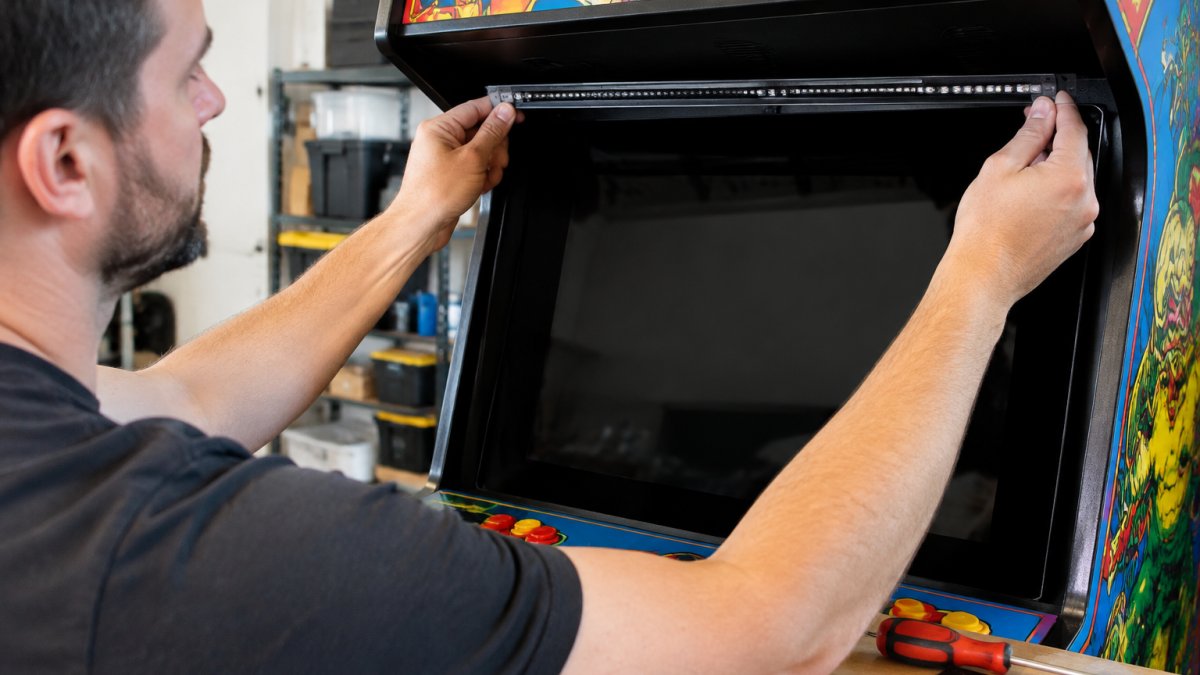
GUN4IR setup and calibration starts with hardware. You mount the IR receivers around the display, run the IR strip, and then calibrate in software.
Sensor placement is the make-or-break step. Receivers need a clear view of the gun across your whole play area, including the corners. Once mounted, calibration maps the gun's aim to screen coordinates, much like Sinden's routine but with more physical setup up front.
Watch Out Skipping a secure mount for your IR receivers is the most common GUN4IR mistake. A receiver that shifts even slightly mid-session throws off triangulation, and you'll chase phantom accuracy problems for hours.
Light Gun Recoil Options: Pump Action, Reload, and Trigger Feel
Light gun recoil options vary far more on GUN4IR builds than on a stock Sinden.
Sinden ships as a finished product, so its recoil and trigger behavior are set by the model you buy.
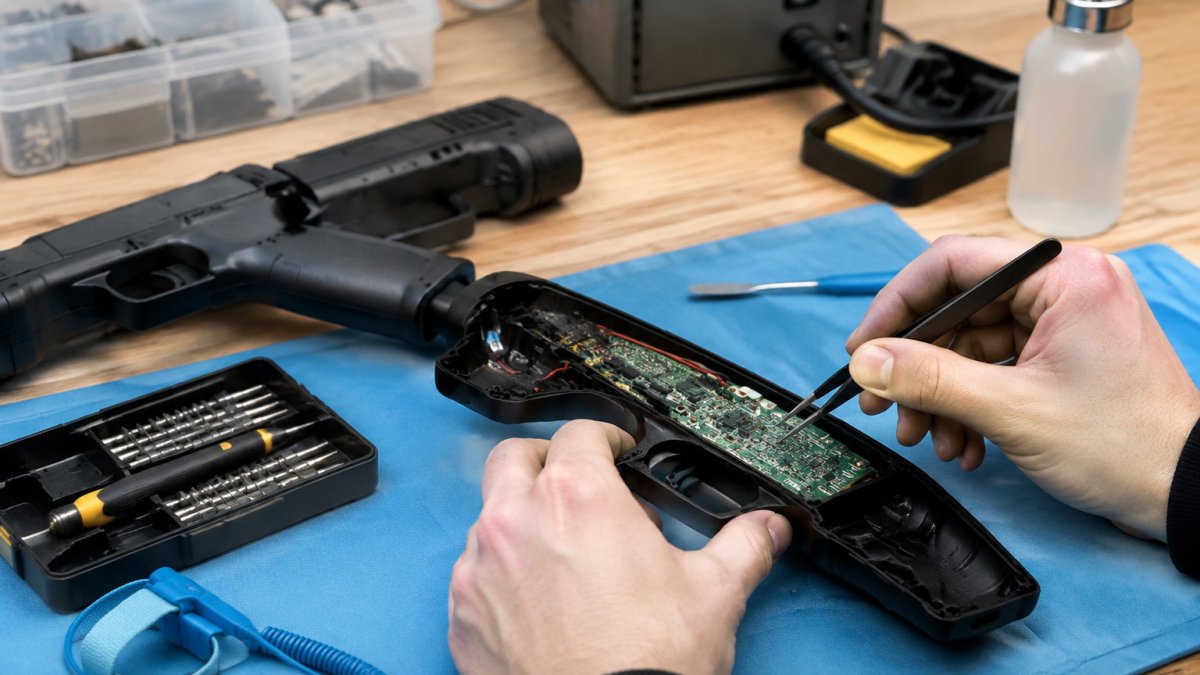
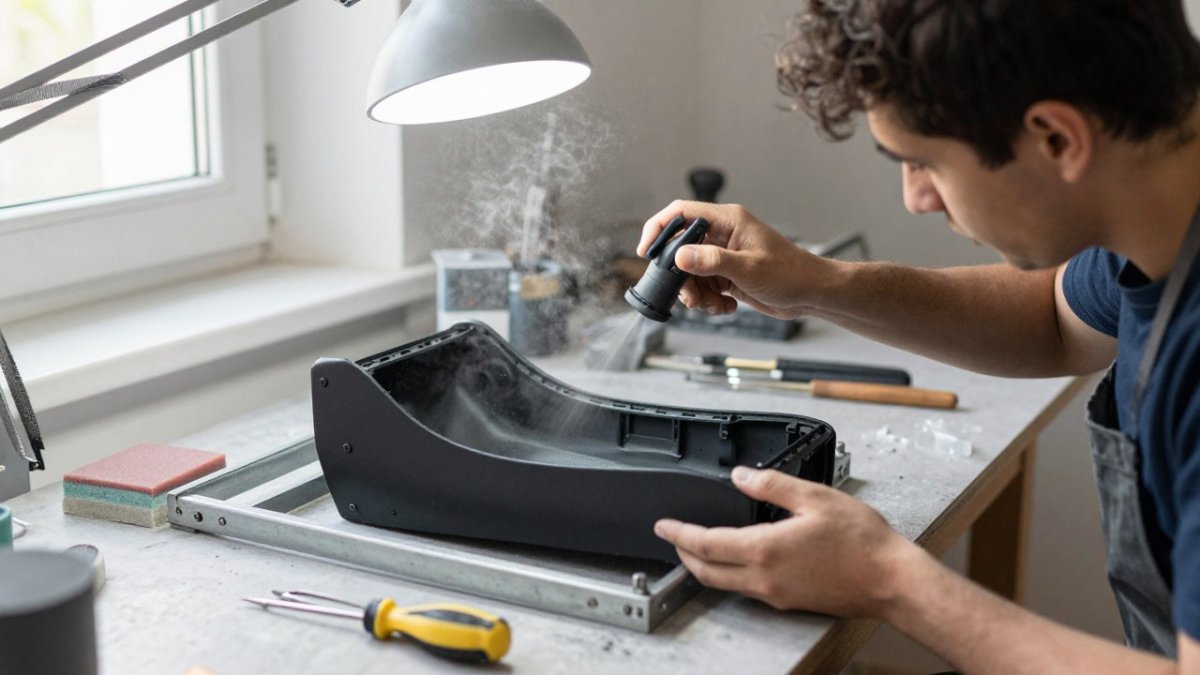
This is where customization shines. A standard controller becomes an arcade gun replica with the right shell and a little patience. That's exactly the kind of transformation Tcarterdesigns focuses on, turning Retro Shooter hardware into immersive, functional upgrades.
Cost, Compatibility, and Long-Term Ownership
Most comparisons stop at the sticker price of the gun. That misses the real number: total cost of ownership. Sinden and GUN4IR bundle their costs differently, and the difference matters more than the headline price.
Total cost of ownership
Sinden is a finished product. The purchase price typically includes the gun, the internal camera, and the software license. It does not include anything you'd add for comfort or aesthetics, a holster, a spare cable, or a custom shell.
GUN4IR is a tracking system, not a finished gun. The cost stack usually includes:
The GUN4IR board or kit itself
IR receivers and an IR emitter strip or bar
The donor gun shell you build into (a Retro Shooter shell, an arcade replica, or a custom 3D-printed body)
A common pattern in community builds is that the GUN4IR electronics are less expensive than a Sinden gun, but the completed build, once you add a quality shell, receivers, mounting, and optional recoil, can land in a similar range.
Compatibility matrix: OS, emulators, and displays
Use this as a starting checklist, then confirm against current documentation for your exact stack, because both projects update frequently.
Category | Sinden Light Gun | GUN4IR |
Operating system | Windows (primary); Linux support is community-driven and less consistent | Windows (primary); Linux support depends on the firmware and community builds |
Common emulators | MAME, Attract Mode, and other front-ends that can draw the border | MAME, Attract Mode, and other front-ends; no border requirement |
Display type | LCD and projection; CRT is not the target | LCD and projection; CRT is not the target |
Multi-monitor | Works if the border is drawn on the correct display; verify per-emulator | Works if receivers cover the play area; multi-display setups need careful receiver placement |
Tracking hardware | None extra (border) | IR receivers + IR strip |
Multi-player | Supported | Supported |
Overlay/shader sensitivity | High, border must stay visible | Low, screen content is irrelevant |
Line-of-sight sensitivity | Low | High, receivers must see the gun |
Long-term ownership and maintenance
Both systems need occasional attention, but the maintenance profiles differ.
Sinden: keep the border unobstructed, keep display settings stable, and recalibrate after any resolution or screen-size change. The main failure mode is software-side, an emulator update or overlay that clips the border.
GUN4IR: keep receivers securely mounted and free of dust, keep the IR emitter clean, and recalibrate after any receiver movement. The main failure mode is physical, a bumped receiver or an obstructed line of sight.
Watch Out With GUN4IR, a receiver that shifts even slightly mid-session throws off triangulation, and you'll chase phantom accuracy problems for hours. Check mounting security before troubleshooting software.
Troubleshooting quick reference
Symptom | Likely cause | Fix |
Sinden aim drifts or stops tracking | Border clipped by overlay, shader, or letterboxing | Restore the full white border; disable overlays during play |
Sinden shots feel laggy | Refresh rate mismatch or slow USB path | Match display refresh, use a direct USB port, avoid unpowered hubs |
GUN4IR aim drifts at edges | Receiver triangle too narrow or a receiver partially occluded | Widen receiver placement; clear line of sight to all corners |
GUN4IR tracking drops intermittently | Loose receiver mount or IR emitter obstruction | Re-secure mounts; clean and reposition the emitter |
Either system inaccurate after a change | Calibration invalidated by a setup change | Re-run the calibration routine before further diagnosis |
Key Takeaway Pick Sinden if you want a finished gun, no external hardware, and the simplest total-cost equation. Pick GUN4IR if you want lower electronics cost, full control over the shell and recoil, and don't mind mounting and maintaining the IR hardware yourself.
Which Light Gun Fits Your Arcade Cabinet?
For most players who want to plug in and play, Sinden is the simpler path: no receivers to mount, a broad reported game library, and a finished gun out of the box. For builders who enjoy the process and want to save money, GUN4IR rewards the extra effort with a lower reported cost and total freedom over the gun's look and feel.
Whichever you choose, the shell is half the experience. At Tcarterdesigns, we build custom light gun mods that transform standard hardware into iconic replicas, including shotgun and pulse rifle styles, with easy-to-install kits made for Retro Shooter hardware. Our mods add aesthetic customization and deeper immersion. Get started with Tcarterdesigns and turn your light gun into a centerpiece your arcade cabinet deserves.
Frequently Asked Questions
Are Sinden light guns worth it compared with GUN4IR?
It depends on whether you value plug-and-play simplicity or lower hardware cost. Sinden ships as a ready-made light gun that works with flat-screen TVs and reports support for more than 600 arcade titles, with setup described as easy in the supplied comparison guide. GUN4IR is described in the same research as less expensive and is discussed for Windows 10, MAME, and Attract-Mode builds, but it is often chosen by players who want to build a light gun into a custom shell. If you want minimal tinkering, Sinden is the safer pick; if you enjoy a DIY build and want to spend less on the core hardware, GUN4IR is the stronger fit.
How accurate is the Sinden light gun?
The supplied research does not include controlled accuracy measurements for either system, so treat any specific percentage claims you see elsewhere with caution. What the research does show is that Sinden tracks using a visible border displayed around the screen, which means accuracy depends on that border staying visible and correctly sized for your display. Aiming precision also depends on screen size, viewing distance, and calibration. GUN4IR uses infrared tracking with receivers and an IR strip around the screen border instead. Neither system is confirmed as a definitive performance winner in the available data.
Do Sinden and GUN4IR work with the same games and emulators?
The research discusses both systems in the context of PC arcade gaming, with GUN4IR specifically mentioned for Windows 10, MAME, and Attract-Mode setups. Sinden is reported to support more than 600 classic and modern arcade light-gun titles. The supplied results do not provide a full, verified compatibility list for either system, so check the current documentation for the specific emulators and games you plan to run before buying. Multi-player setups and specific MAME builds are worth confirming separately, since support can vary by version.
Which is easier to set up, Sinden or GUN4IR?
Sinden is described in the comparison guide as having easy setup, which matches its design as a ready-made light gun. GUN4IR setup and calibration involves more steps because it relies on infrared tracking: you need IR receivers, an IR strip or screen border, and correct sensor placement for triangulation to work. That extra work is the trade-off for a lower hardware cost and more flexibility if you want to build the gun into a custom shell. If you are building an arcade cabinet and want to avoid mounting and wiring tasks, Sinden will get you playing sooner.
What equipment do you need to use a GUN4IR light gun?
GUN4IR relies on infrared tracking, so you need IR receivers and an IR strip or border around your screen, plus correct sensor placement for triangulation. You also need a PC running a supported operating system, with Windows 10 named in the research alongside MAME and Attract-Mode. Because GUN4IR is often used for custom builds, many players source their own gun shell and assemble the electronics themselves. Exact component lists and current pricing are not stated in the supplied results, so confirm details with the vendor before ordering.
Shop
Comments