


7 Retro Shooter Mod Compatibility Facts You Need to Know
Last Updated: November 19, 2026
Quick Summary
Retro shooter mod compatibility depends on three variables: your gun model, your cabinet revision, and the firmware running on both. A mod can fit mechanically and still behave wrong, so confirm your exact model from the label and check firmware before ordering any kit.
Read the compatibility matrix across a row to check a game, emulator, and gun combination before buying.
Recoil is game-level behavior: some titles signal on every shot, others only on hits, and some not at all.
Sinden and Retro Shooter guns are different platforms, so a shell for one won't mount cleanly on the other.
Test-fit the new shell dry before securing it, checking trigger travel and button alignment.
Match the game's native resolution and aspect ratio to your screen or aim will drift at the edges.
Will this mod fit your Retro Shooter?
Custom light gun mods built for Retro Shooter hardware, with easy installation and replica designs.
Table of Contents
What Retro Shooter Mod Compatibility Actually Depends On
Retro Shooter mod compatibility depends on the gun model you own, the cabinet revision it plugs into, and the firmware running on both.
This guide from Tcarterdesigns walks through what fits, what doesn't, and how to check before you buy. Our mods are built for Retro Shooter hardware.
A mod can fit mechanically and still feel wrong, since firmware affects how recoil and input mapping behave.
Gun Model, Cabinet Revision, and Firmware: The Three Variables
Gun model is the first filter. Kits are matched to specific gun shells, so confirm the listing names your model. Check the label under the grip before ordering anything.
Cabinet revision matters as well, since internal mounting points can differ between revisions.
Firmware controls how the gun reports recoil and button input, so check your firmware version before fitting a kit.
A quick check list before you commit:
Note your exact gun model from the label
Photograph the inside of your cabinet where the gun connects
Record your current firmware version
Confirm which emulator or game box you'll run
For the broader picture of what modding involves, our Retro Shooter light gun modding guide covers the full landscape.
Retro Shooter Light Gun Compatibility by Model and Game
Compatibility splits into two layers: hardware fit and game support. A mod can fit your gun perfectly and still not suit the game you play most. The matrix below can help you check a game, emulator, and gun combination before buying or configuring anything.
The Compatibility Matrix
Read across a row to see whether a given game, emulator, and gun combination is known to work. "Native" means the game or emulator recognizes the gun without extra mapping. "Mapped" means you must assign inputs manually. "Untested" means the combination is plausible but not confirmed, treat it as a maybe, not a yes.
Game | Emulator | Gun Model | Status | Notes |
Area 51 | MAME | Retro Shooter (current shell) | Native | Recognized as mouse input; recoil on shot |
Area 51 | MAME | Retro Shooter (older shell) | Mapped | Recoil may not trigger; remap trigger |
House of the Dead 2 | MAME | Retro Shooter (any) | Native | Recoil on hit only, not every shot |
House of the Dead 2 | Model 2 emulator | Retro Shooter (any) | Mapped | Per-game input profile required |
Virtua Cop 2 | MAME | Retro Shooter (any) | Native | Straightforward mouse mapping |
Virtua Cop 2 | Model 2 emulator | Retro Shooter (any) | Mapped | Recoil signal inconsistent |
Time Crisis | MAME | Retro Shooter (any) | Untested | Pedal input complicates mapping |
Point Blank | MAME | Retro Shooter (any) | Native | Works well; recoil on shot |
Duck Hunt | MAME | Retro Shooter (any) | Mapped | Needs per-game calibration |
Any light-gun title | RetroPie | Retro Shooter (any) | Mapped | Configure as mouse in EmulationStation |
Any light-gun title | Windows + MAME | Retro Shooter (any) | Native | Most forgiving path |
Any light-gun title | Linux + MAME | Retro Shooter (any) | Mapped | udev rules may be needed |
Fill in your own row before you buy: game, emulator, operating system, gun model, and firmware version. If any cell is "Untested" for your combination, test with a single game before committing to a kit.
Why Recoil Support Varies by Game
Recoil is the most misunderstood compatibility layer. Some titles send a recoil signal on every shot, others only on hits, and a few send no recoil signal at all. That is a game-level behavior, not a kit defect. Test your favorite three games before you judge a kit, and note in your matrix whether recoil fired on shot, on hit, or not at all.
A game that works in one emulator may behave differently in another, so record the emulator along with the game.
Sinden vs Retro Shooter Hardware: What Mods Fit Where
Sinden and Retro Shooter guns are different platforms with different internals. A shell designed for one won't mount cleanly on the other without adapter work.
Sinden and Retro Shooter guns are different platforms. If you own a Sinden, confirm the kit explicitly lists Sinden fit before ordering.
Our kits are built for Retro Shooter hardware. If you're on Sinden, ask before ordering.
Retro Shooter Mod Installation: A Step-by-Step Walkthrough
Installation time varies by kit and setup. The steps below assume you've confirmed fit and updated firmware first.

Back up your setup. Save your emulator configs and custom image to a separate drive or SD card. If something breaks, you restore instead of rebuilding.
Power down and unplug. Remove batteries or disconnect USB before opening anything.
Remove the original shell. Keep every screw in a labeled cup. Mixed screws are the most common reassembly headache.
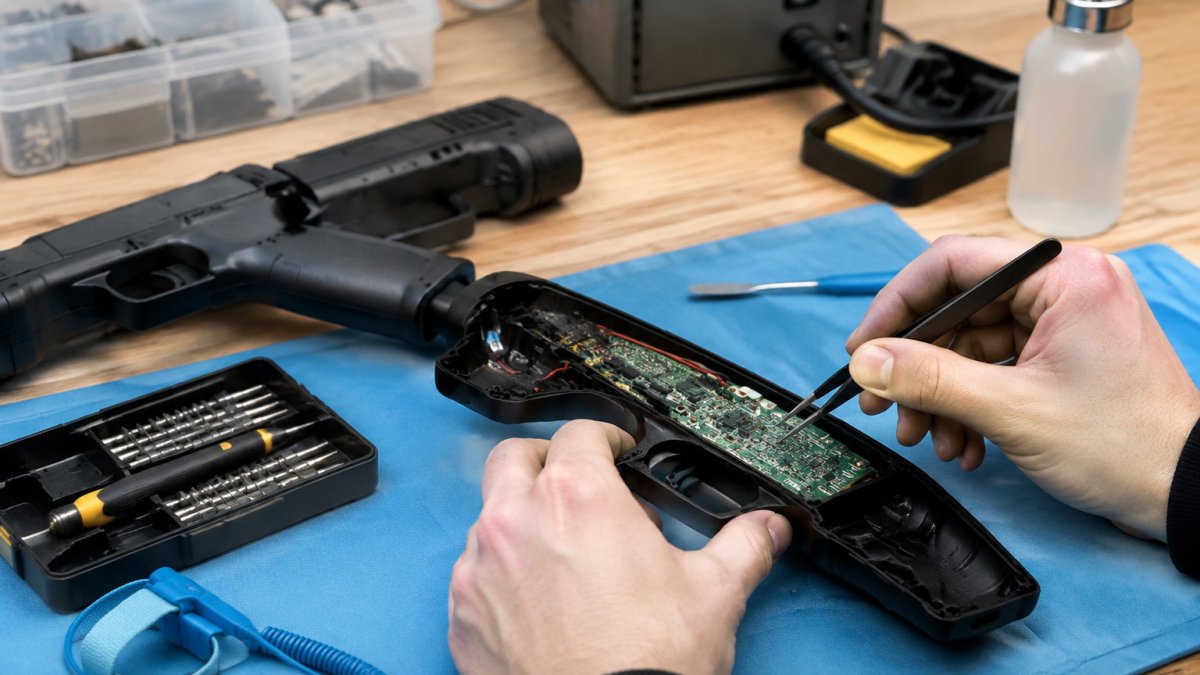
Test-fit the new shell before securing it. Seat it dry, check trigger travel and button alignment, then take it apart again if anything binds.
Transfer the internals. Move the board, recoil motor, and wiring across gently. Watch for ribbon cables catching on edges.
Secure and reassemble. Tighten screws evenly, not one at a time, so the shell seats flat.
Power on and test. Run one game, fire ten shots, and confirm recoil and input both register.
If a step feels forced, stop. Forced fit is how mounts crack. Our step-by-step mod installation guide goes deeper on each stage.
Mod Prerequisites Checklist
Run through this before you start:
Gun model confirmed from the label
Cabinet revision photographed inside
Firmware updated to the current version
Emulator configs backed up to a separate drive
Small screwdriver set on hand
Container for screws
One test game ready to launch
Return window noted in case of fit issues
Arcade1Up Retro Shooter Integration Kit: What to Expect
An Arcade1Up Retro Shooter integration kit adapts the gun to a cabinet that wasn't built for it. Expect to handle mounting, cable routing, and display alignment as separate tasks.
Mounting is usually the easy part. Cable routing takes more thought, since the gun cable has to reach the play position without snagging. Display alignment matters most: match your game's resolution and aspect ratio to the cabinet screen or aim will drift at the edges.
Retro Shooter Light Gun Troubleshooting by Symptom
Light gun problems often involve calibration, recoil, input mapping, or display. Match your symptom to the fix below before assuming hardware failure.
Aim drifts or shots land off-center. Recalibrate against your actual screen size and check that game resolution matches display resolution. A 16:9 game on a 4:3 screen will drift at the edges every time.
Recoil stops firing. Check firmware version first, then confirm the game sends a recoil signal. Some titles don't.
Buttons map wrong. Remap input in the emulator, not the game, and save the config per game.
Screen looks stretched or cropped. Set the game to its native resolution and match the display's aspect ratio.
For calibration problems specifically, our guide on calibrating IR sensor bars for arcade cabinets walks through the alignment process in detail.
Calibration, Recoil, Input Mapping, and Display Fixes
If recoil works in one game but not another, the setting may be game-specific rather than a kit problem.
Emulator and Software Compatibility: MAME, Custom Images, and Display Settings
MAME is commonly used for light gun setups, and many guns are recognized as mouse input. Standalone emulators and prebuilt game boxes vary more, so the table below maps the common software paths to what you actually have to configure.
Software | Gun Recognized As | Mapping Effort | Recoil Support | Display Notes |
MAME (Windows) | Mouse | Low | Game-dependent | Set native resolution per game |
MAME (Linux) | Mouse (udev rules may be needed) | Medium | Game-dependent | Match aspect ratio to cabinet |
RetroPie / EmulationStation | Mouse | Medium | Game-dependent | Configure in EmulationStation first |
Model 2 emulator | Mouse | Medium | Inconsistent | Per-game input profile required |
Custom prebuilt image | Varies | Varies | Varies | Check included light-gun profiles |
Custom Images and Prebuilt Game Boxes
Custom images and prebuilt game boxes vary. Check what your image includes before assuming the gun is at fault.
Back up your saved emulator configs before flashing a custom image.
Display Settings That Decide Aim Accuracy
Display settings affect how accurate aim feels. Match the game's resolution to your screen's native resolution and aspect ratio. Mismatched resolution is a common cause of aim complaints. Set the game to its native resolution and match the display's aspect ratio rather than letting the display stretch the image.
Symptom-Based Diagnostic Table
When something is off, match the symptom to the likely cause before touching hardware.
Symptom | Likely Cause | First Fix |
Aim drifts at screen edges | Resolution or aspect-ratio mismatch | Set native resolution; match aspect ratio |
Shots land off-center everywhere | Calibration against wrong screen size | Recalibrate to actual display size |
Recoil stops firing | Firmware or game-level recoil setting | Update firmware; confirm game sends recoil |
Buttons map wrong | Emulator input mapping | Remap in emulator, save per game |
Gun works in menu, not in game | Per-game input not configured | Map inputs for that game |
Screen stretched or cropped | Display scaling | Disable stretch; use native resolution |
Work through symptoms in order. Calibration first, because bad aim makes every other test unreliable. Then recoil, then input mapping, then display. If recoil works in one game but not another, the hardware is fine, that's a game-level setting, not a kit problem.
If input lag is your issue rather than aim, our guide on reducing input lag in arcade emulators covers the display and software settings that matter.
Choosing the Right Mod Kit for Your Setup
The right kit is the one built for your exact gun model and cabinet revision, not the one with the most features.
Start with fit. Confirm the kit lists your Retro Shooter model by name.
Consider how you plan to use the kit. If you play regularly, ask about durability before buying.
Consider price after fit. Confirm that a kit lists your model before comparing prices.
You can browse the Reaper Mods collection to see the current kit options and check fit for your setup.
Getting a mod to fit shouldn't feel like guesswork. At Tcarterdesigns, we build custom light gun mods for Retro Shooter hardware, including shotgun and pulse rifle styles, with easy-to-install kits that keep your electronics intact.
Frequently Asked Questions
Which light guns are compatible with Retro Shooter mods?
Retro Shooter mods are designed for Retro Shooter light gun hardware. Before ordering, check the mod listing for the specific gun model it was designed for. If you own a Sinden, confirm the kit explicitly lists Sinden fit rather than assuming cross-compatibility.
How do I check whether a mod fits my Retro Shooter light gun?
Compare your gun against the mod's stated compatibility. Check that the listing names your Retro Shooter model. If the listing does not name your model, ask the seller directly with a photo of your hardware.
Are Retro Shooter mods compatible with Arcade1Up cabinets?
An Arcade1Up Retro Shooter integration kit typically handles the cabinet-side connection, not the gun shell itself. The kit adapts the light gun signal to the cabinet's display and input system. Compatibility depends on your Arcade1Up model and whether the cabinet has been soft-modded to accept external controllers. Confirm your cabinet revision before buying, because port layouts differ between generations.
How do I troubleshoot a Retro Shooter light gun that is not working after a mod?
Start with calibration: re-run the calibration routine and aim at the screen center from your normal playing distance. If recoil stops working, check that the recoil connector is fully seated. For input mapping problems, confirm the gun is recognized by your PC or game box before launching the emulator. For display issues, confirm the emulator output matches your screen's native resolution.

Comments